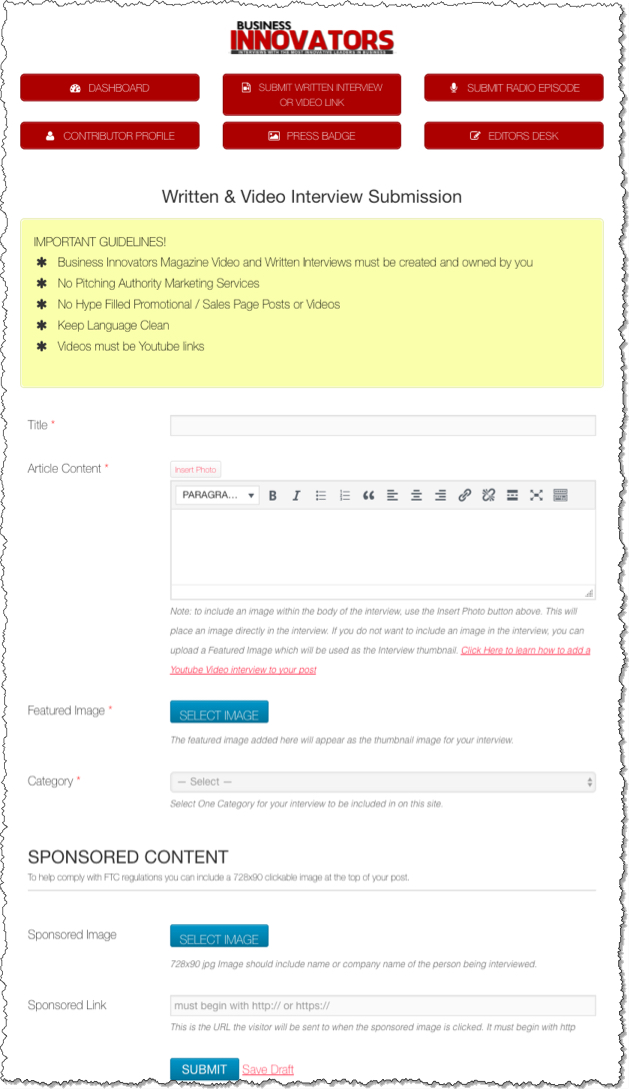
- Business Innovators Magazine Video and Written Interviews must be created and owned by you
- No Pitching Authority Marketing Services
- No Hype Filled Promotional / Sales Page Posts or Videos
- Keep Language Clean
- Videos must be Youtube links
Submitting Written Interviews
1. Login to your account on BusinessInnovatorsMagazine.com
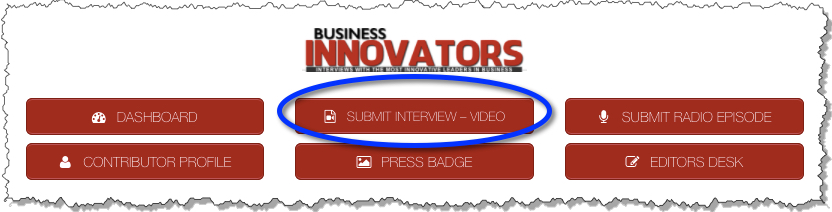
2. From the Contributor Dashboard, select Submit Interview -Video
1. Add the Title
2. Paste the Article Content
Note: to include an image within the body of the interview, use the Insert Photo button at the top of the Article Content field. This will place an image directly in the interview.
If you do not want to include an image in the interview, you can upload a Featured Image which will be used as the Interview thumbnail.
Click Here to learn how to add a Youtube Video interview to your post
*You must be logged into BusinessInnovatorsMagazine.com to view this video.
3. Featured Image – Upload an image to appear as the thumbnail image for your interview.
4. Category – Select the most applicable category for this interview.
5. Sponsored Content – Include a sponsored image and link if desired.
See Adding Sponsored Images to Your Posts for more information.
6. Click Submit
7. You may Edit the content of your Article/Interview at any time from your Contributor Dashboard.
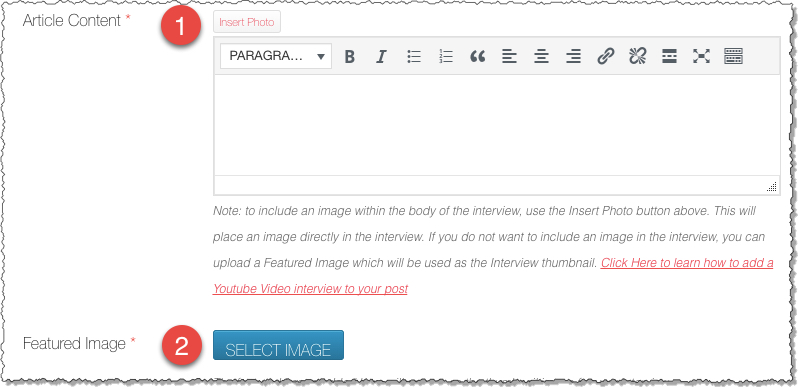
1. OPTIONAL: To include an image within the body of the interview, use the Insert Photo button above the Article content section. This will place an image directly in the interview.
2. REQUIRED: Select a featured image. This image will be used as the thumbnail image for the interview.
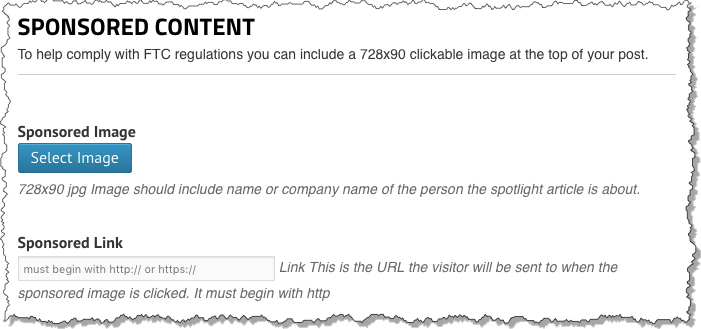
Sponsored Image – 728×90 jpg Image should include name or company name of the person the spotlight article is about. (Canva.com Banner Graphics Maker)
Sponsored Link – This is the URL the visitor will be sent to when the sponsored image is clicked. It must begin with http
When do I need to make the disclosures?
- Interview a client about their book.
- Write and article about a client about their business.
- Anytime you publish content about a client or company who is paying you.
- If they are just prospects and not paying clients, this PROBABLY doesn’t apply.
- If you got a free copy of their book, they want you to say that.
Resources
This information will also be used to complete your Press Badge. Only one Contributor Profile per login is permitted.
From the Contributor Dashboard on BusinessInnovatorsMagazine.com, select the Contributor Profile link:
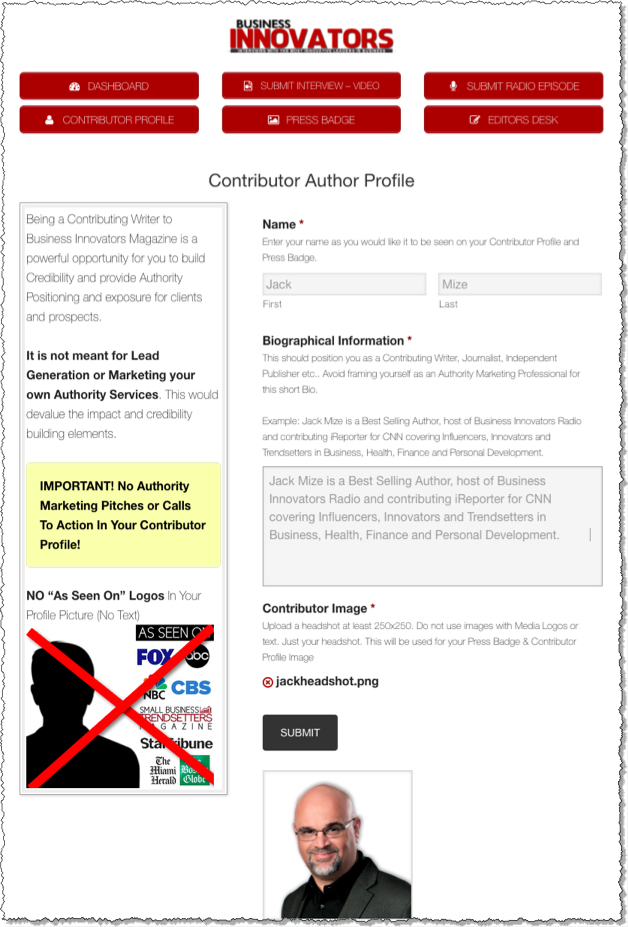
From here you will be able to update your Contributor Profile with the following information:
First Name and Last Name
List your name exactly as you want it to appear on your articles or Press Badge.
Biographical Information
This should position you as a Contributing Writer, Journalist, Independent Publisher etc.. Avoid framing yourself as an Authority Marketing Professional for this short Bio.
Example: Jack Mize is a Best Selling Author, host of Business Innovators Radio and contributor to Small Business Trendsetters and Business Innovators Magazine covering Influencers, Innovators and Trendsetters in Business, Health, Finance and Personal Development.
Contributor Image
Upload a headshot at least 250×250. Do not use images with Media Logos or text. Just your headshot.
Submit
Click Submit to save your changes.
Updates
You can update the information from your Contributor Profile at any time.
Before printing your Press Badge, you must set up your Contributor Profile. For information on setting up your profile, see “BIM – Add or Edit Your Contributor Profile“
1. Select Press Badge from your Contributor Dashboard
2. Review the information and update if needed
3. Click on the Print Icon
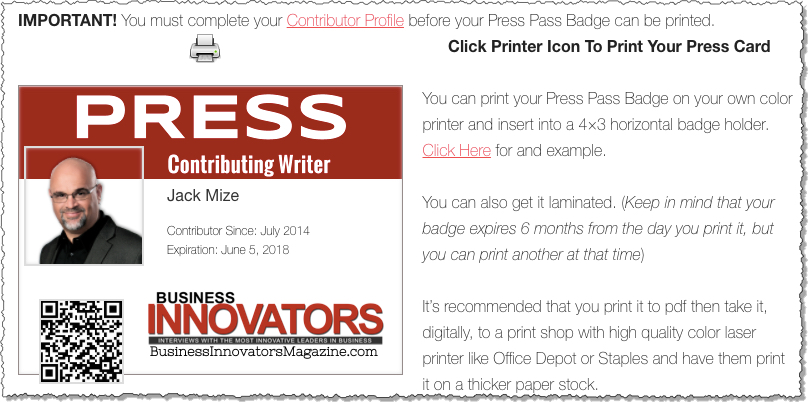
You can print your Press Pass Badge on your own color printer and insert into a 4×3 horizontal badge holder. Click Here for an example.
You can also get it laminated. (Keep in mind that your badge expires 6 months from the day you print it, but you can print another at that time)
It’s recommended that you print it to pdf then take it, digitally, to a print shop with high quality color laser printer like Office Depot or Staples and have them print it on a thicker paper stock.
TROUBLE SHOOTING
The pass background didn’t print
If you tried printing your pass to your printer or pdf and the background doesn’t show, the next step is to try selecting the “Print Background Images” option on your printer popup.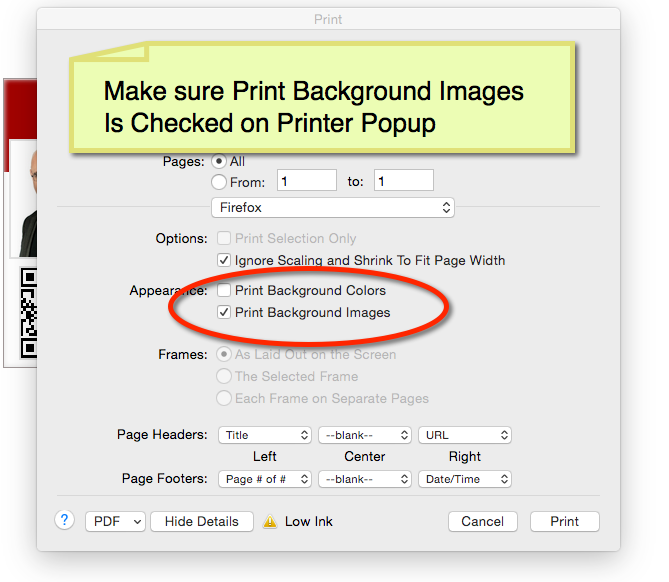
My Profile Picture isn’t showing on the the Press Badge
If you uploaded your profile picture before we added the Press Badge feature, you need to re-upload your Contributor Image on Your Profile on your dashboard.