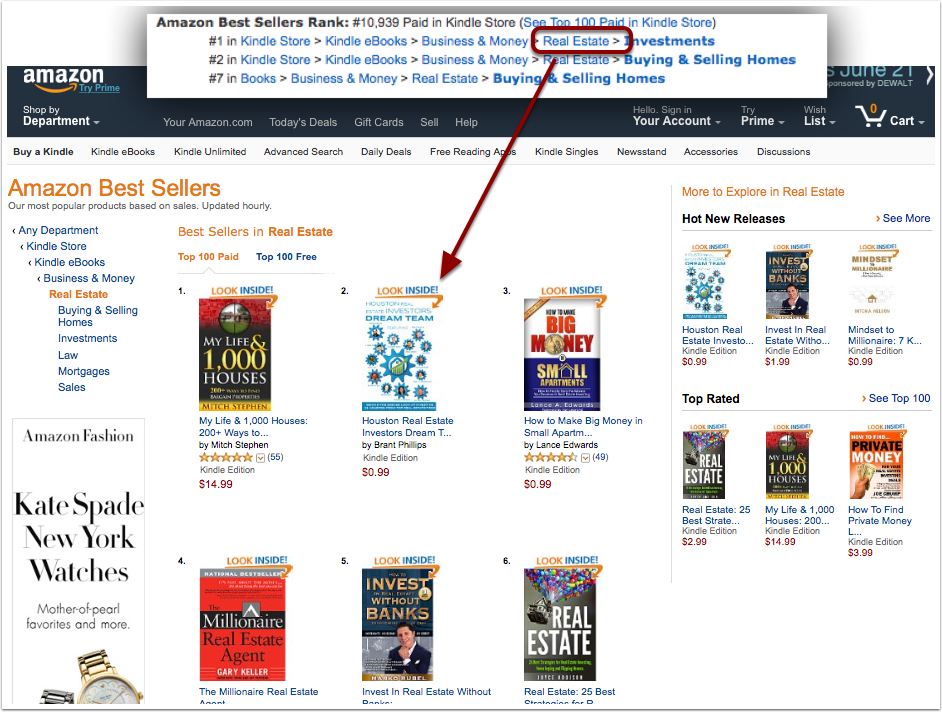
Getting Screenshots to document the fact that Amazon has given your book Best Seller status is a key part of your campaign. You can use these in “humble brags” and as evidence of Best Seller status being acheived after the book has dropped off the list.
There are several ways to capture screenshots using free and paid software like Jing, Snagit etc.. You can also take screen shots using commands on your computer and phone for free. See Tutorials
This article explains what pages on amazon you should take screenshots from.
The Book Listing Page
Take a screen shot of yor book listing page that includes the book image and tite along with the peak Best Seller Rankings.

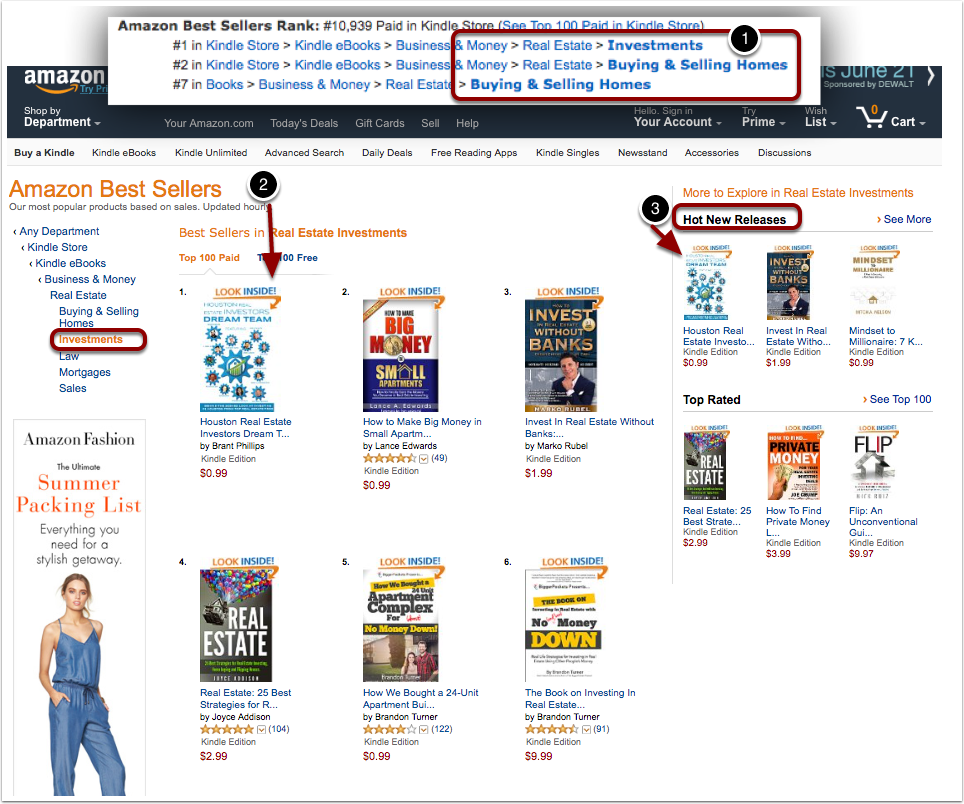
The Rankings In Each Department & Hot News Releases
- Click on each of the departments in the Amazaon Best Sellers Rank section
- Take a Screen Shot of the Amazon Best Sellers page for that department
- Check the Hot New Releases section to see if your book is listed and get that screenshot.
Check Root Departments Not Listed On Book Page
Backup one level in your Department trail to see if you hit a top spot in a higher level.